
How to HelpDocs Import Articles into YourGPT
Follow the steps below to collect the necessary details for importing your articles from Help Docs.
You can easily import your Helpdocs articles into YourGPT. You'll just need the API key to import your Helpdocs articles. By following the steps below, you can import your articles easily.
1. Go to Help Docs
Log in to your Help Docs account.
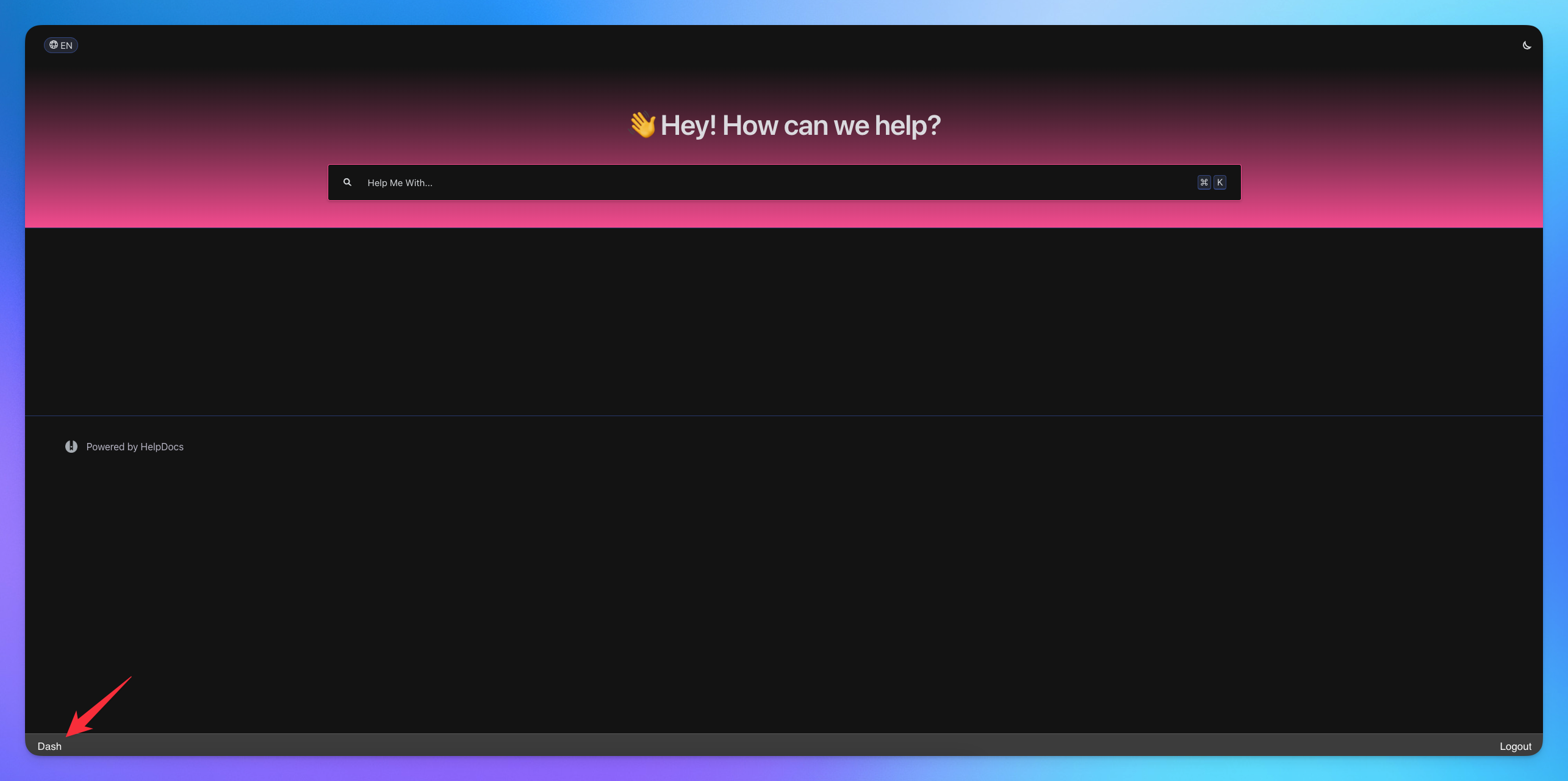
Navigate to Dash in your footer & Click
2. Create Your Keys
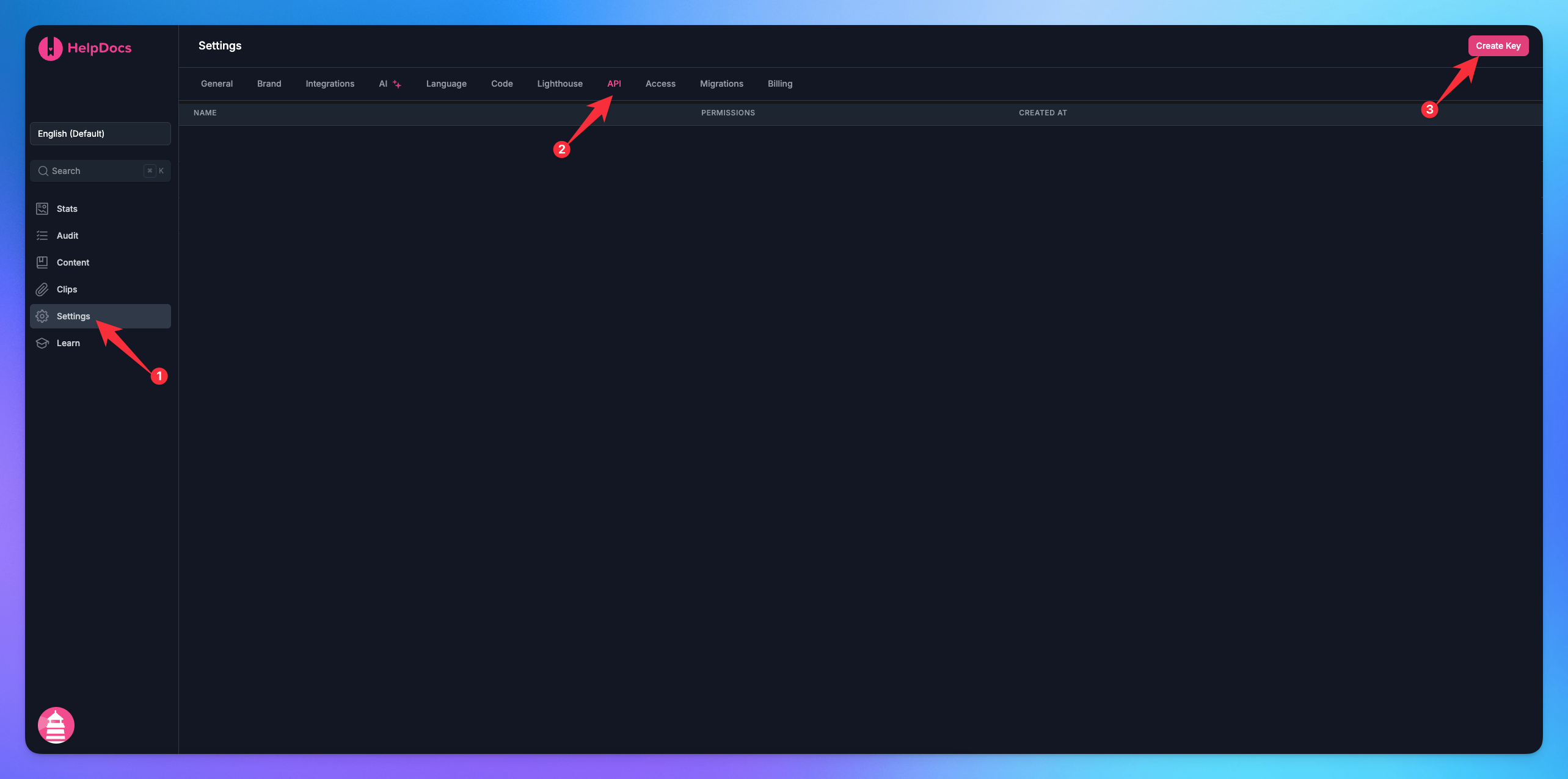
Go to Settings in the sidebar.
Choose an API option.
Click on Create Key.
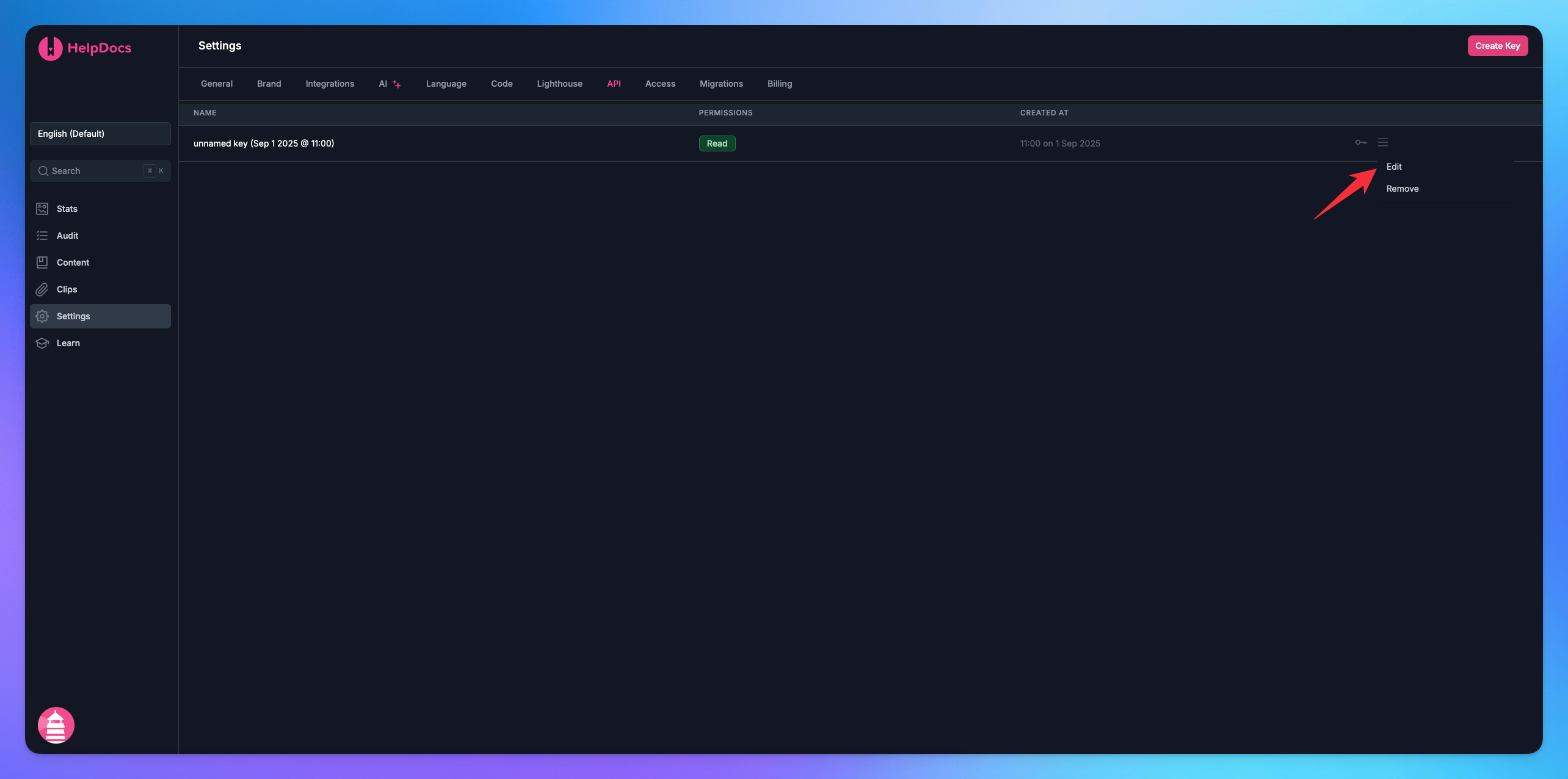
Click on three line.
Choose the Edit option.
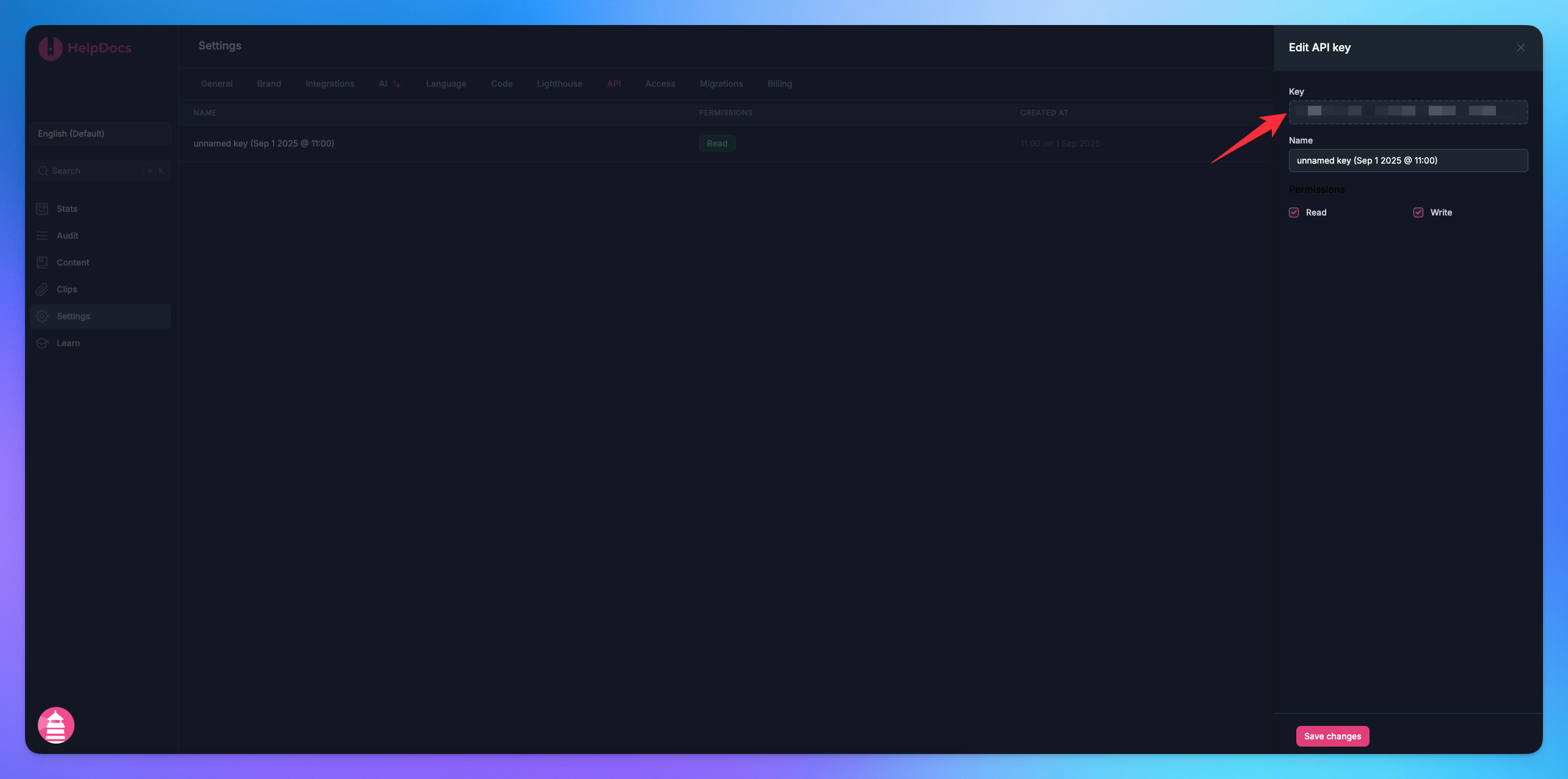
Copy your API Key.
3. Import article to YourGPT
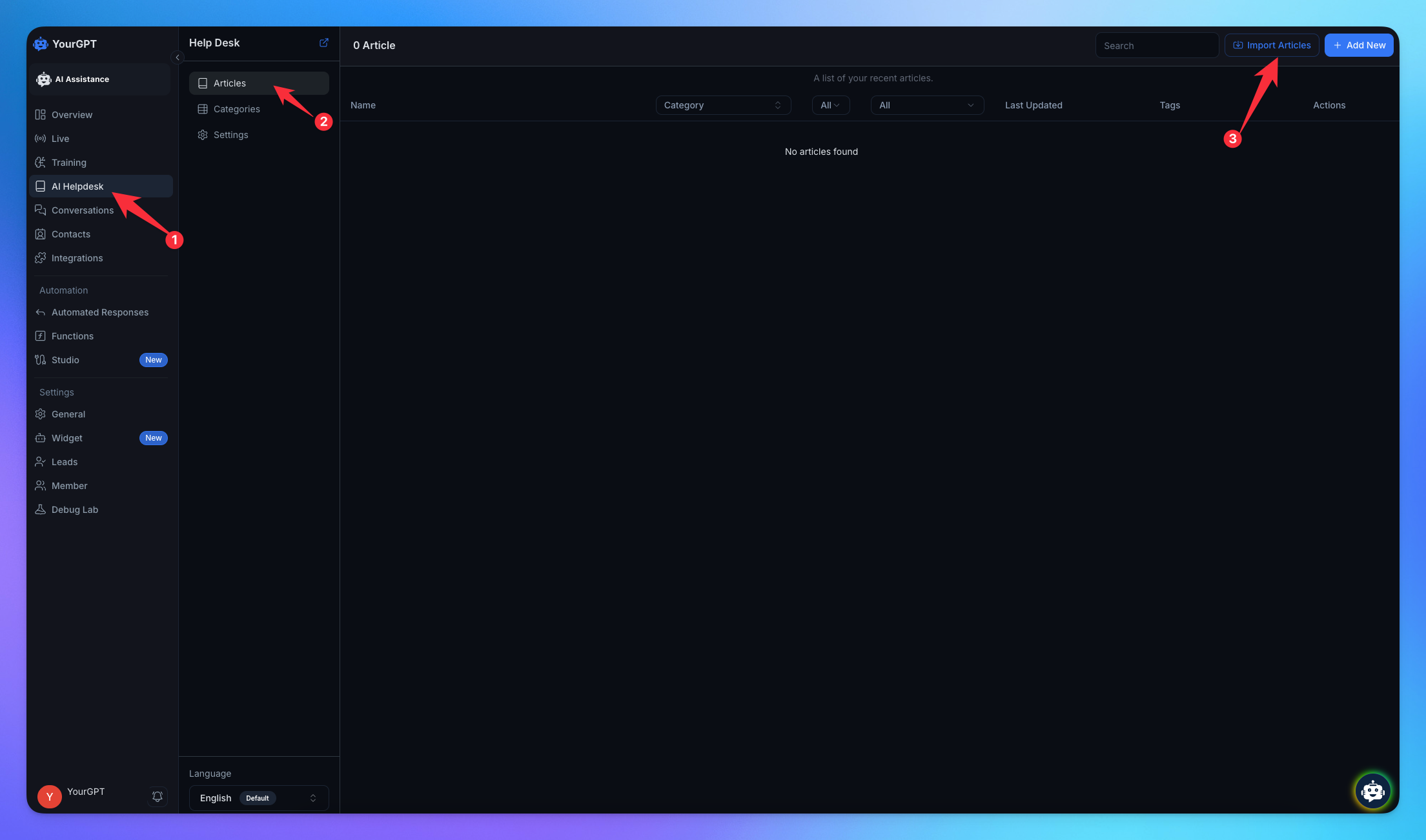
Go to Helpdesk in the sidebar.
Navigate to Articles.
Click on Import Articles.
Select Help Docs. It will ask you the API key, Paste the key.
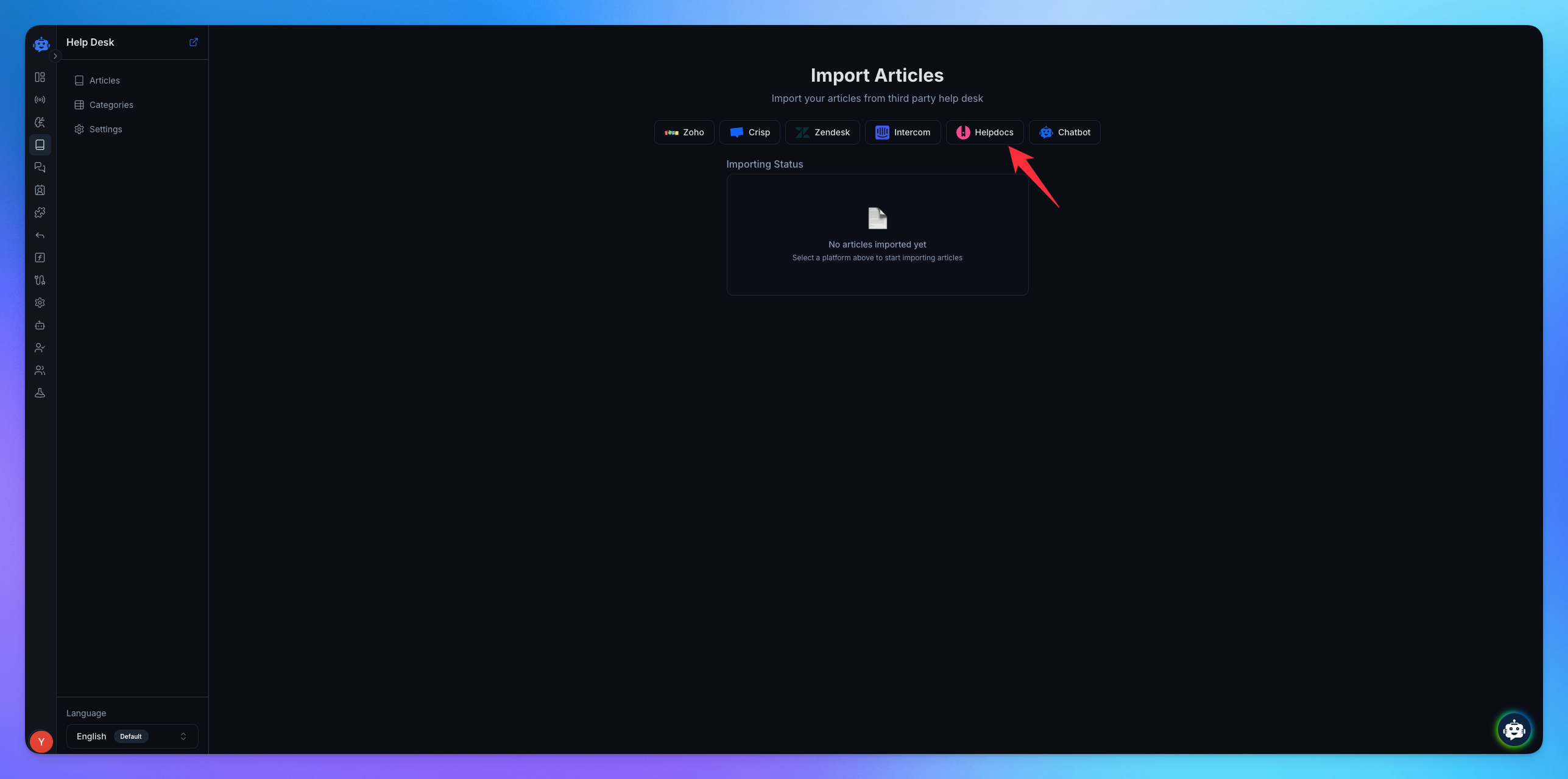
✅After these steps, your article have been successfully and completely imported into YourGPT.
WasThisArticleHelpful