
How to change your email address
To change your email address, please follow these steps:
Go to "My Profile."
Click on the "Edit" button to the right of your email.
Enter the new email.
Click the green tick button to save the new email.
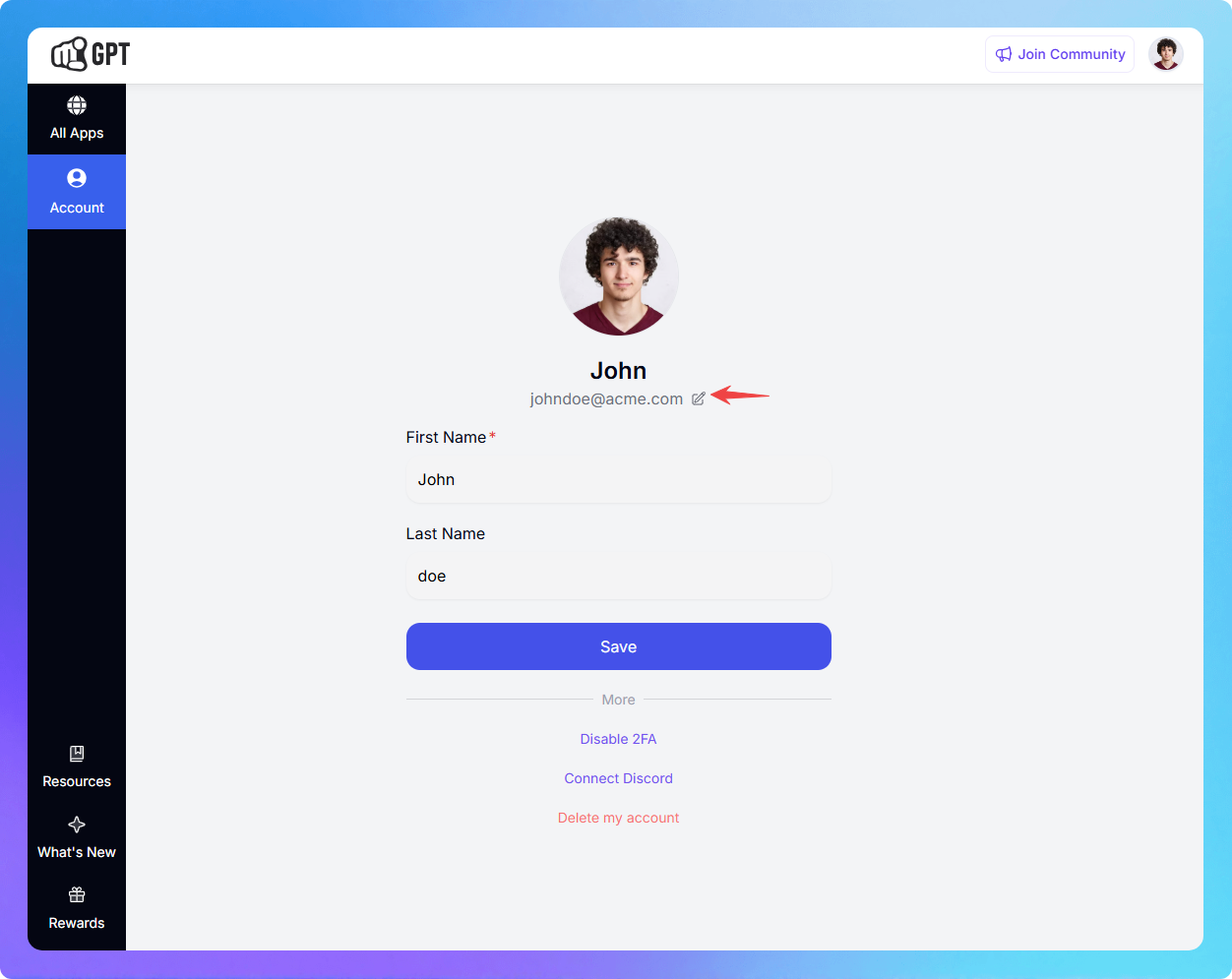
You will receive a verification email.
Open the new email and click the verification button.
After your email has been successfully updated, it will reflect in your profile.
Related Articles
What Are Project Usage Limits and How to Manage Them in YourGPT?
Set and control resource limits for each project including credits, documents, webpages, and voice.
How to delete my account?
Permanently delete your account to erase all data. This action is irreversible.
How to reset my password?
Reset your account password easily with a few simple steps.
How to change my account information?
Update your accounts profile details
How to connect YourGPT Account With Discord?
Join and Connect Discord with YourGPT
Migrate a Project to Another Organization
Move a project from your current organistion to another one — without losing your work.