
Migrate a Project to Another Organization
When you need to transfer a project to another team or move work to a different organization, you can easily migrate the entire project in just a few clicks. You’ll need to be the project owner and have access to the organization you're transferring to. Without both of these, the transfer won't be possible.
Prerequisites for Migration
You must be the owner of the project you want to transfer. Additionally, if you are not a member of the target organization, meaning you haven't been given membership privileges, the transfer won't be successful.
It’s recommended to add the same user email as the owner in the other project before initiating the transfer.
1. Transfer the project
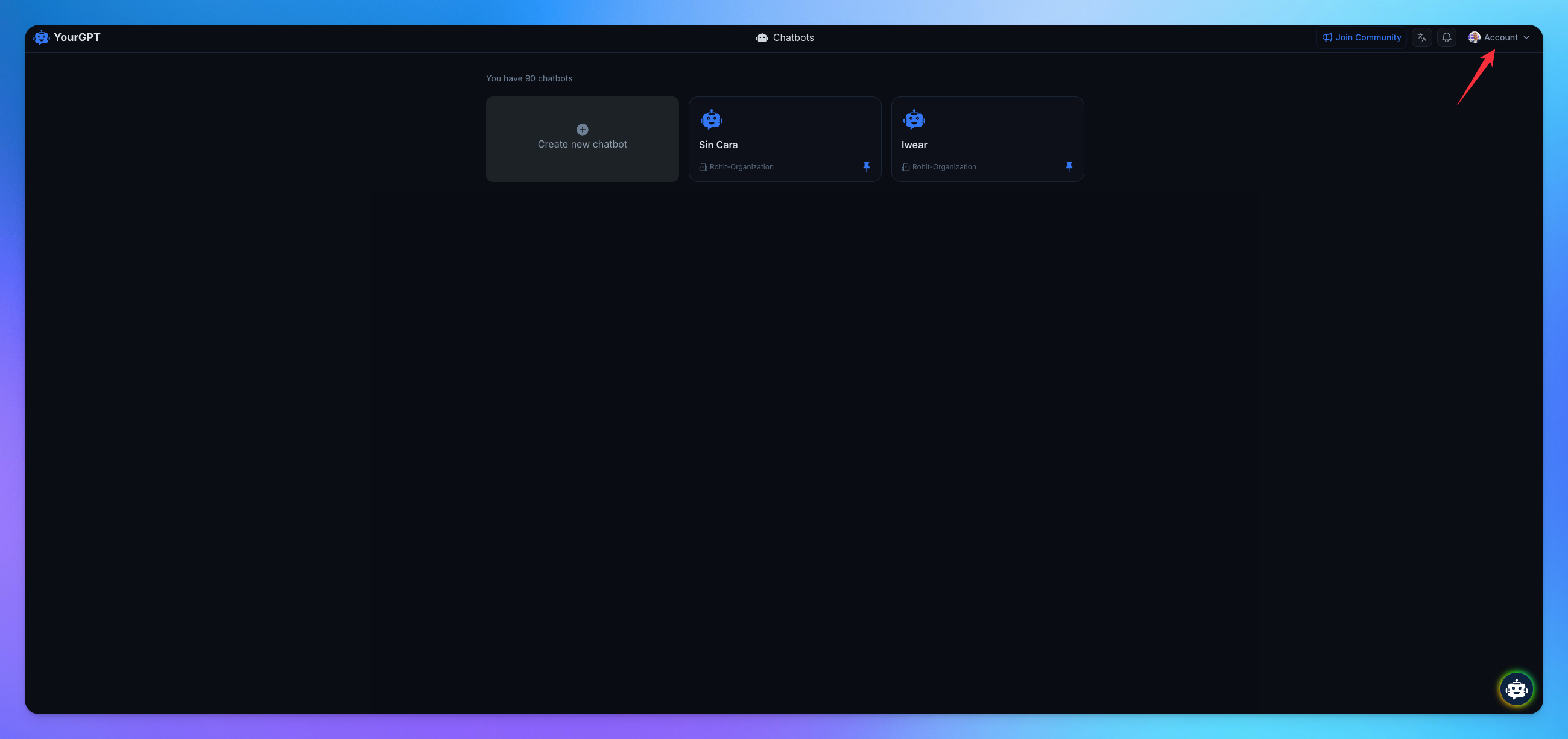
Go to Profile Icon.
Click on Settings.
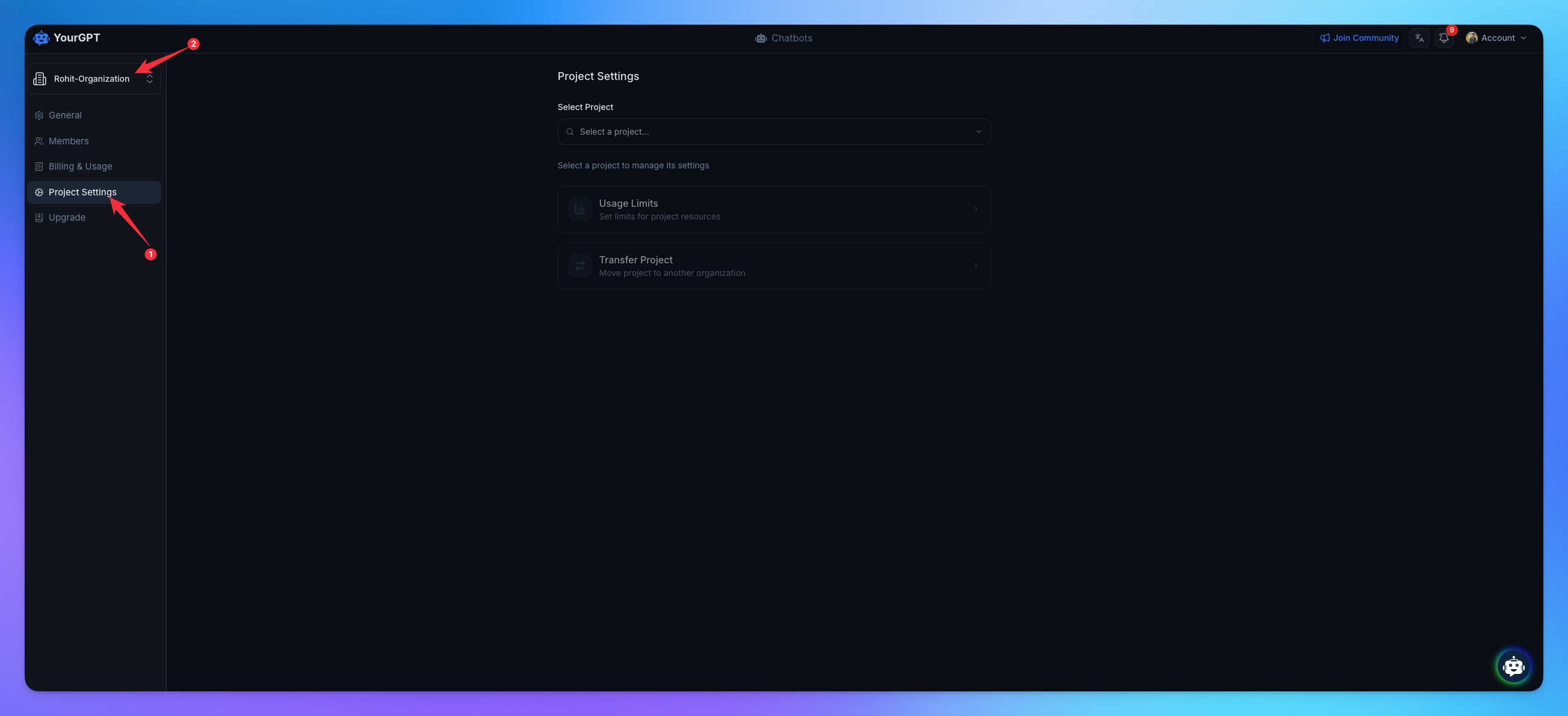
Navigate to Project Limit.
Change your current organization if needed.
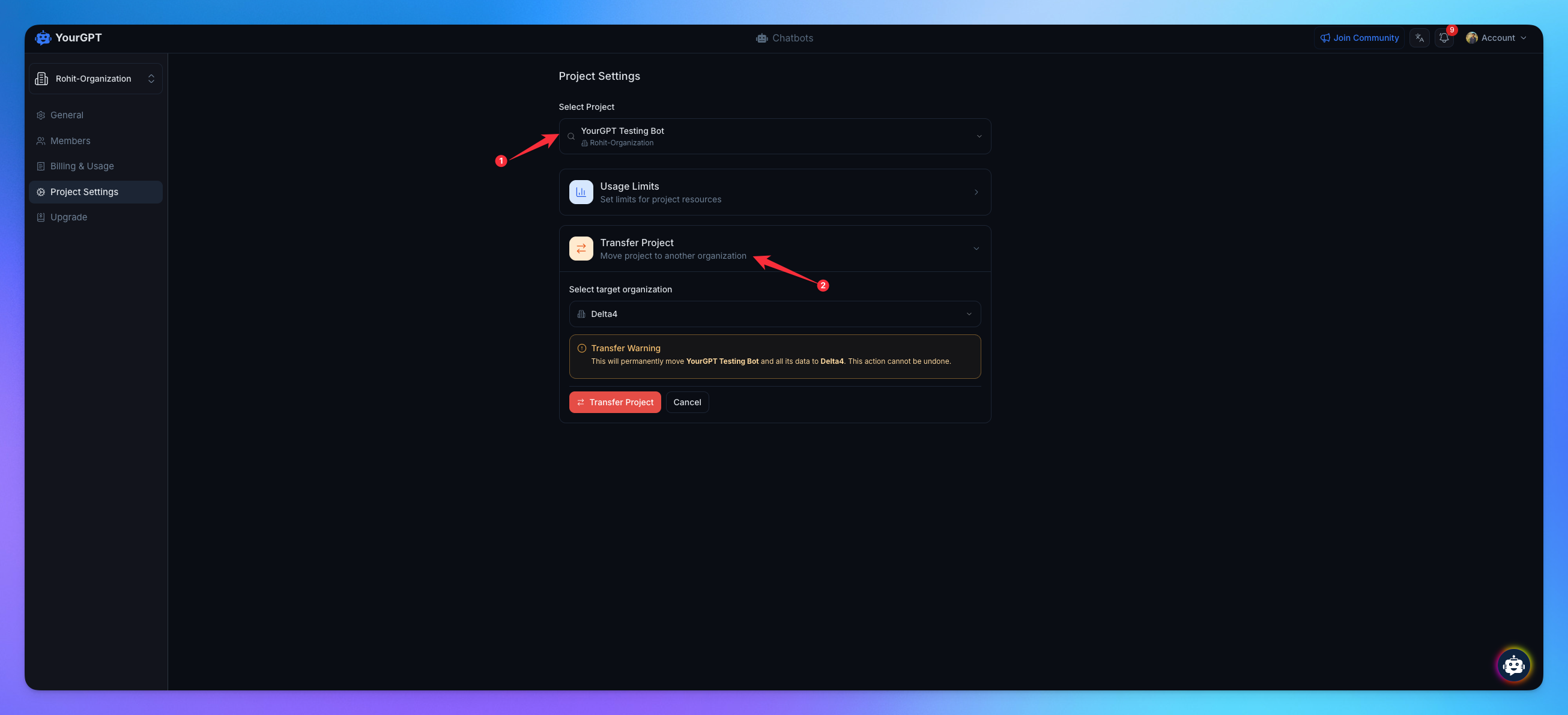
Select the project you want to transfer.
Click on Transfer Project.
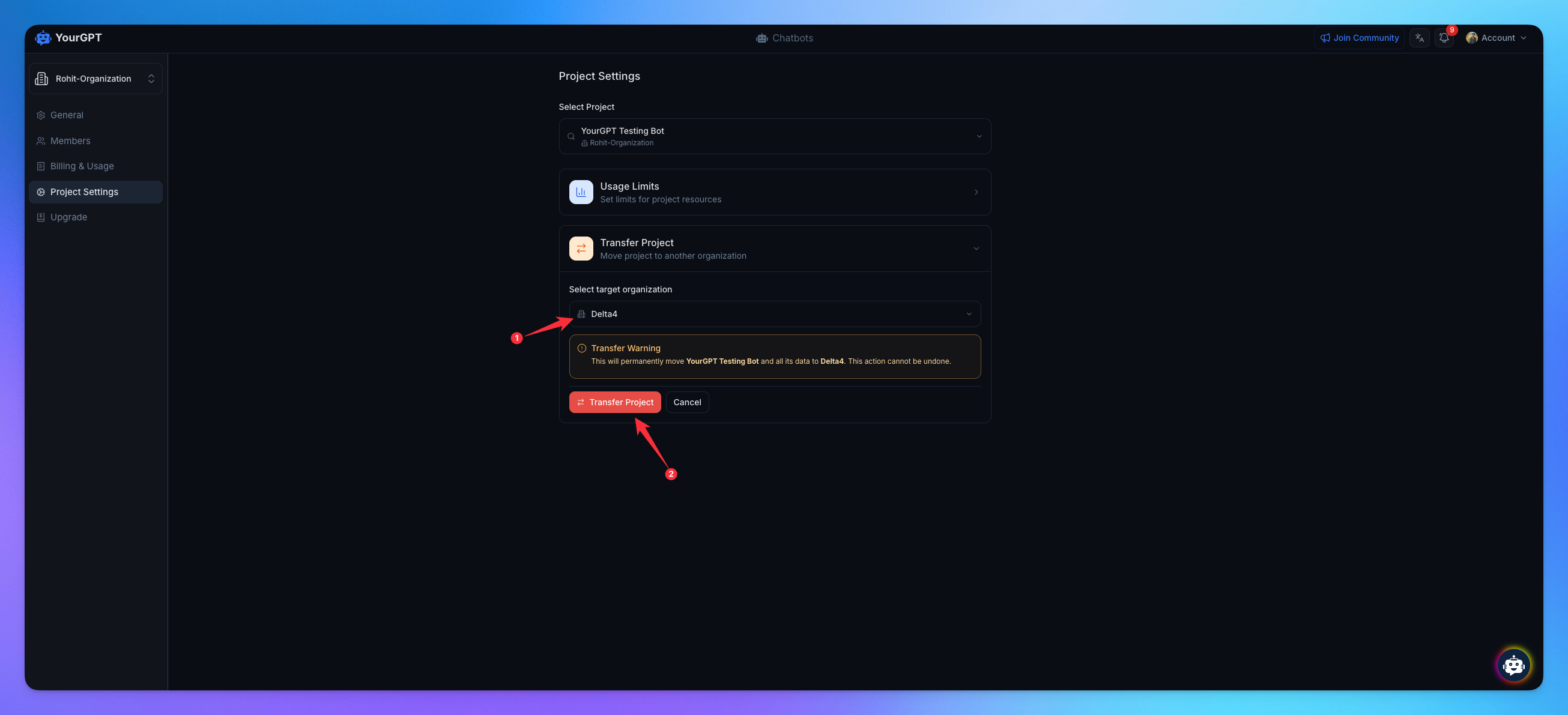
Select the Target Organization.
Click on Transfer Project.
Related Articles
What Are Project Usage Limits and How to Manage Them in YourGPT?
Set and control resource limits for each project including credits, documents, webpages, and voice.
How to delete my account?
Permanently delete your account to erase all data. This action is irreversible.
How to reset my password?
Reset your account password easily with a few simple steps.
How to change my account information?
Update your accounts profile details
How to connect YourGPT Account With Discord?
Join and Connect Discord with YourGPT
How to change your email address
Update your email address of your existing account