
How to Generate a Shopify Auth Token for Chatbot Studio?
If you want to pull data from Shopify inside your chatbot's Studio flows — for example, to call the Shopify Admin API — you'll need an Auth Token.
Step 1: Create a Custom App
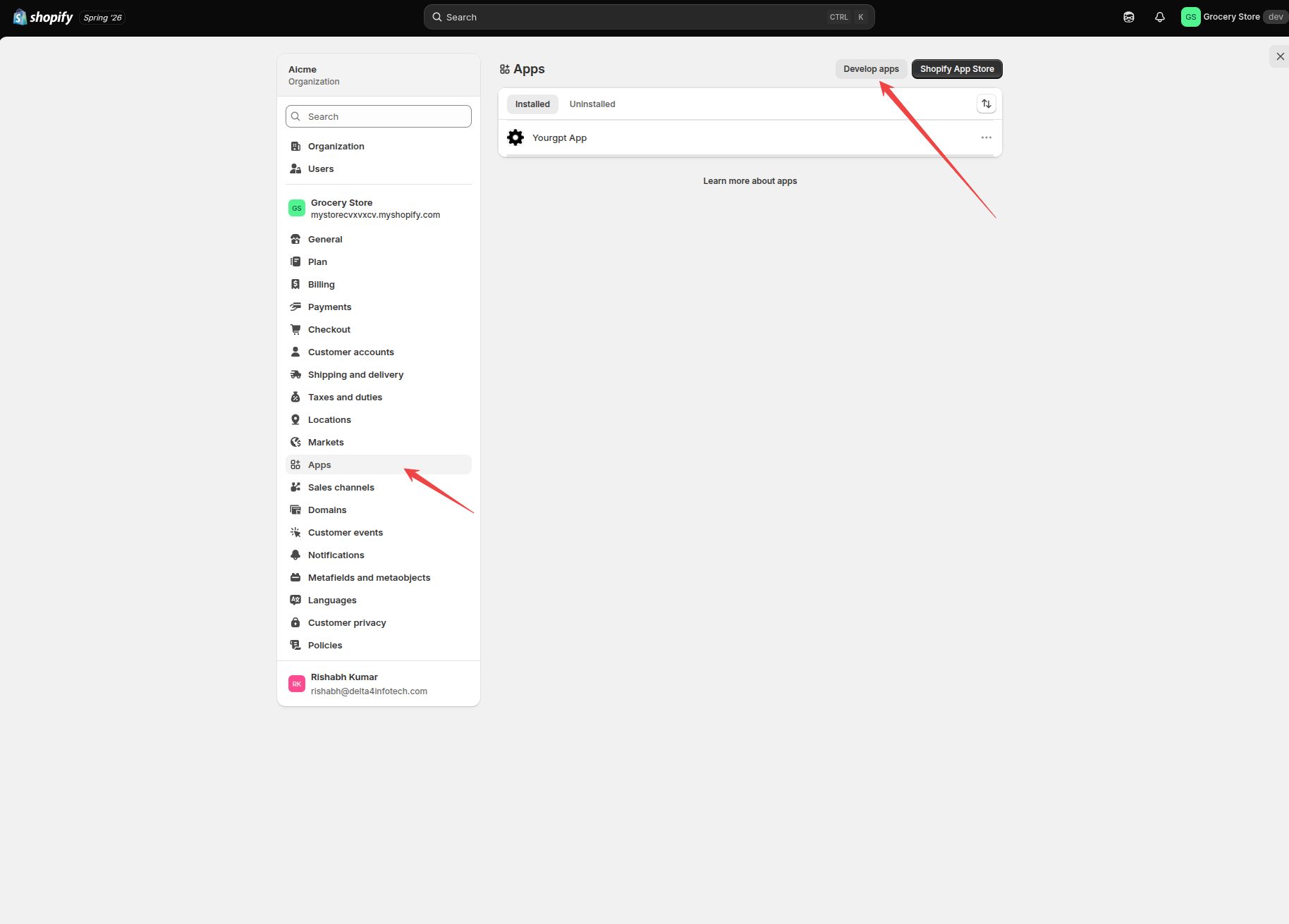
In your Shopify Admin, go to Apps → Apps and sales channels → Develop apps, and click Create an app. Give it any name.
Step 2: Set API Scopes
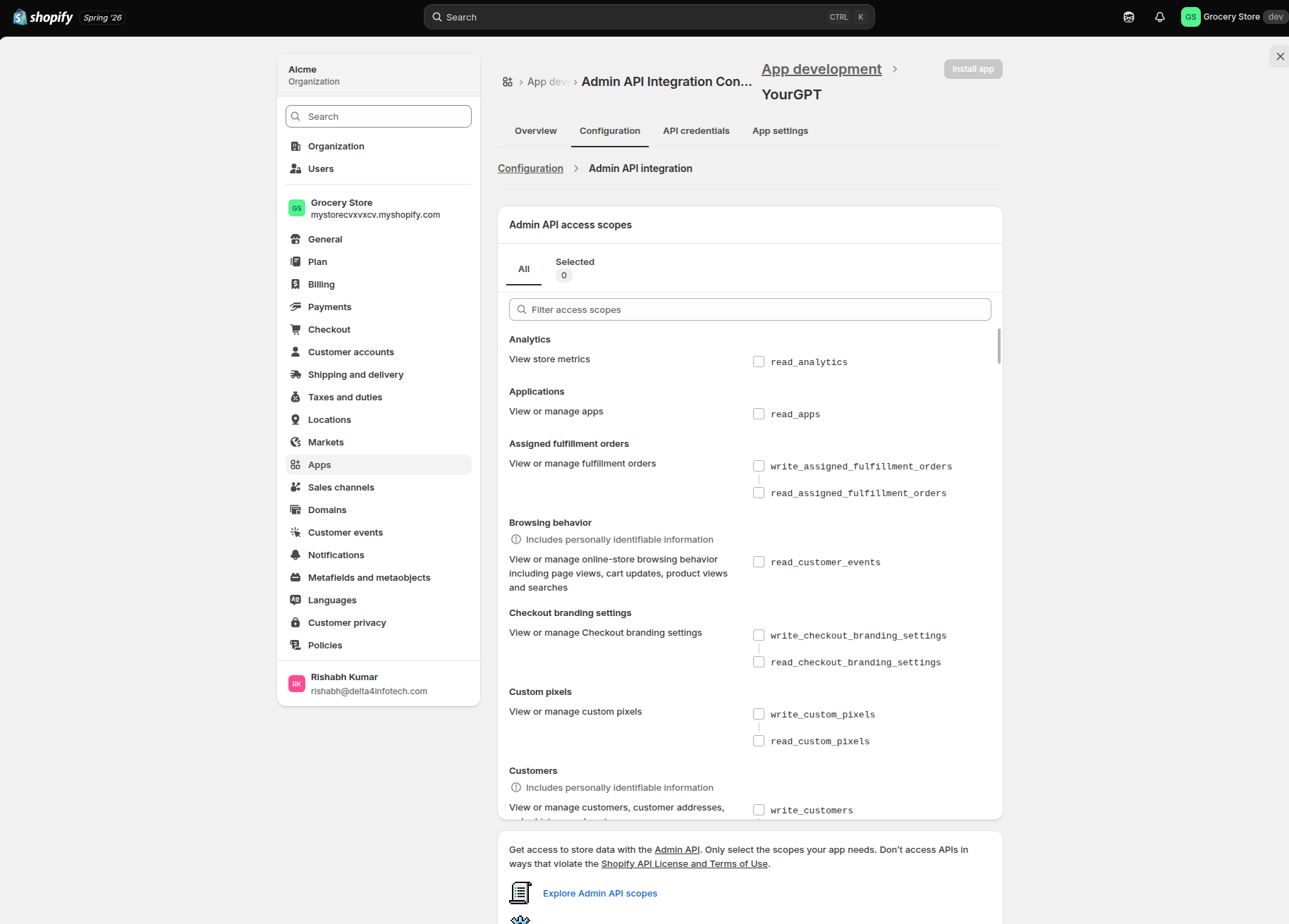
Open Configure Admin API scopes and select the permissions your flow needs.
Step 3: Install the App and Reveal Your Token
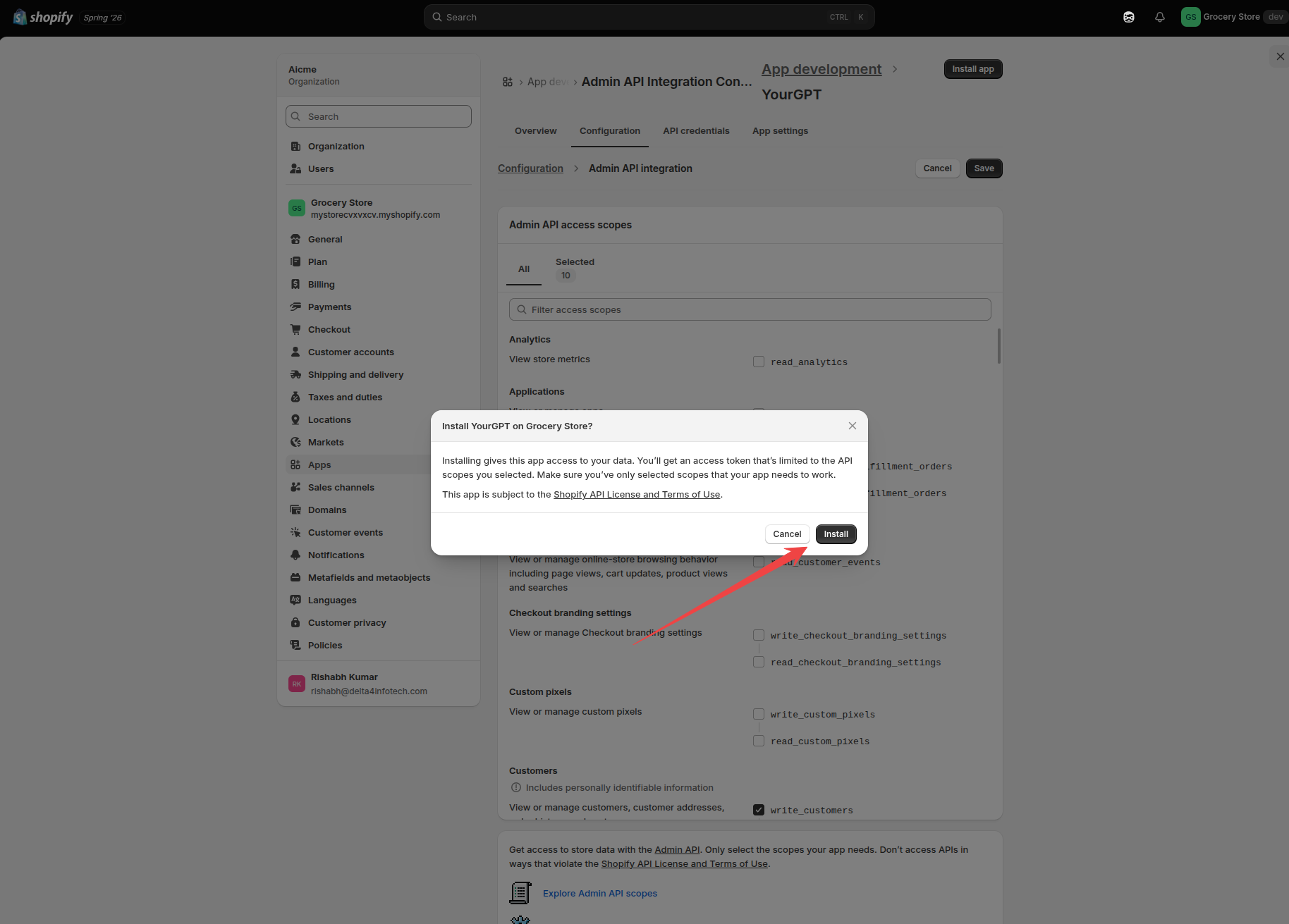
Install the app, then click Reveal token once to get your Auth Token.
Keep this token secure — it grants access to your Shopify admin, so store it somewhere safe and don't share it.
Was this article helpful?
Related Articles
How to Use AI Copilot Actions for Shopify
If your website runs on Shopify, your chatbot can turn into a real shopping assistant — searching your catalog, showing product cards, and adding items to a shopper's actual cart, all without leaving the chat.
How to Real-Time Sync Your Shopify Products and Customers with YourGPT
Automatically keep your AI agent's product and customer knowledge in sync with your Shopify store
How to Install the YourGPT Chatbot on Shopify?
Add the YourGPT AI chatbot to your Shopify store in a few steps.